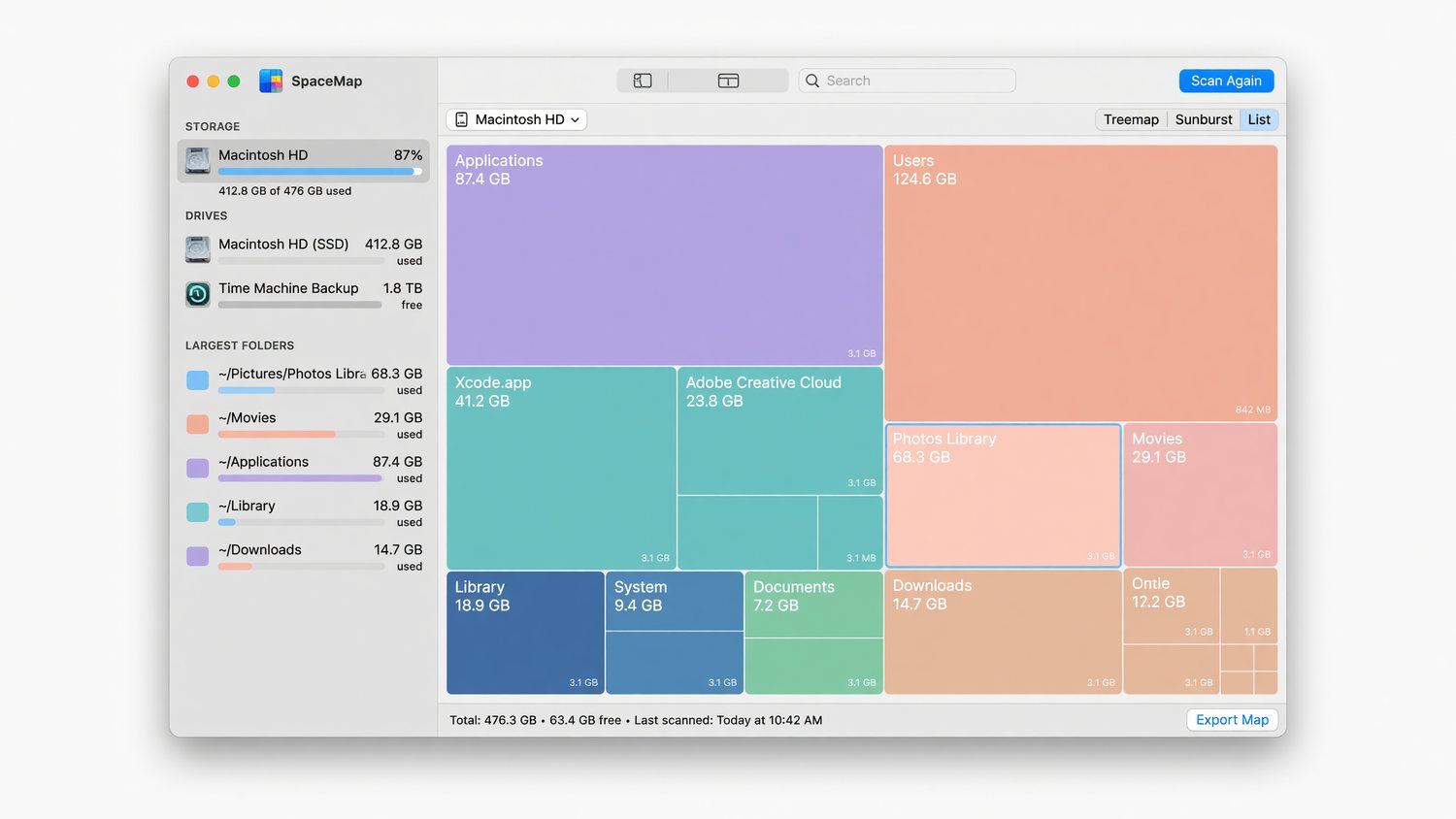
- Squarified treemap, drill-down, breadcrumb
- Concurrent scanner with smooth animations
- Sidebar filter and five sort orders
- Recent scans across launches
- Drag-and-drop folder scanning
- Quick Look on Space-bar
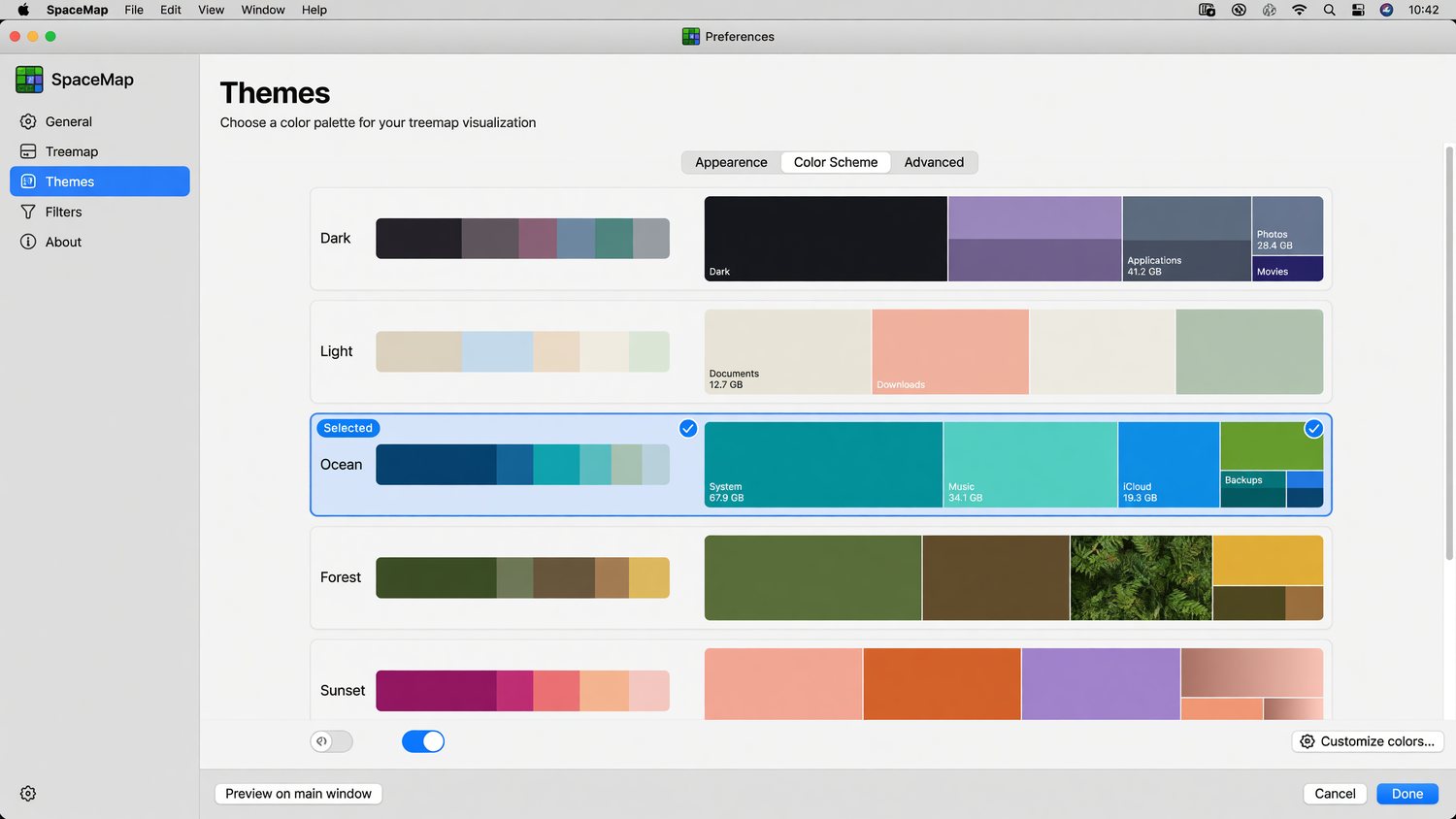
- Five built-in themes
- Reveal in Finder, Copy Path
- Sandboxed and signed
See where your disk space went.
A free, open-source disk-space visualiser for Mac. Pick a folder, and SpaceMap renders every file as a tile sized in proportion to how much space it takes up. Native Swift. Apple Silicon fast. Sandboxed.
< 30s
Pick a folder, see exactly what's eating your disk. No setup, no account, no telemetry. Just a treemap.
< 5 MB
The signed Mac app weighs less than a single high-resolution photo. Sandboxed, no kernel extensions, no helper tools.
£0
Free forever, source on GitHub. We built it because we wanted it. You can have it too.
Built for Mac, designed to disappear.
Every detail follows the macOS Human Interface Guidelines. SpaceMap looks and feels like an app Apple shipped — no Electron bloat, no off-the-shelf charts library, no porting compromises.
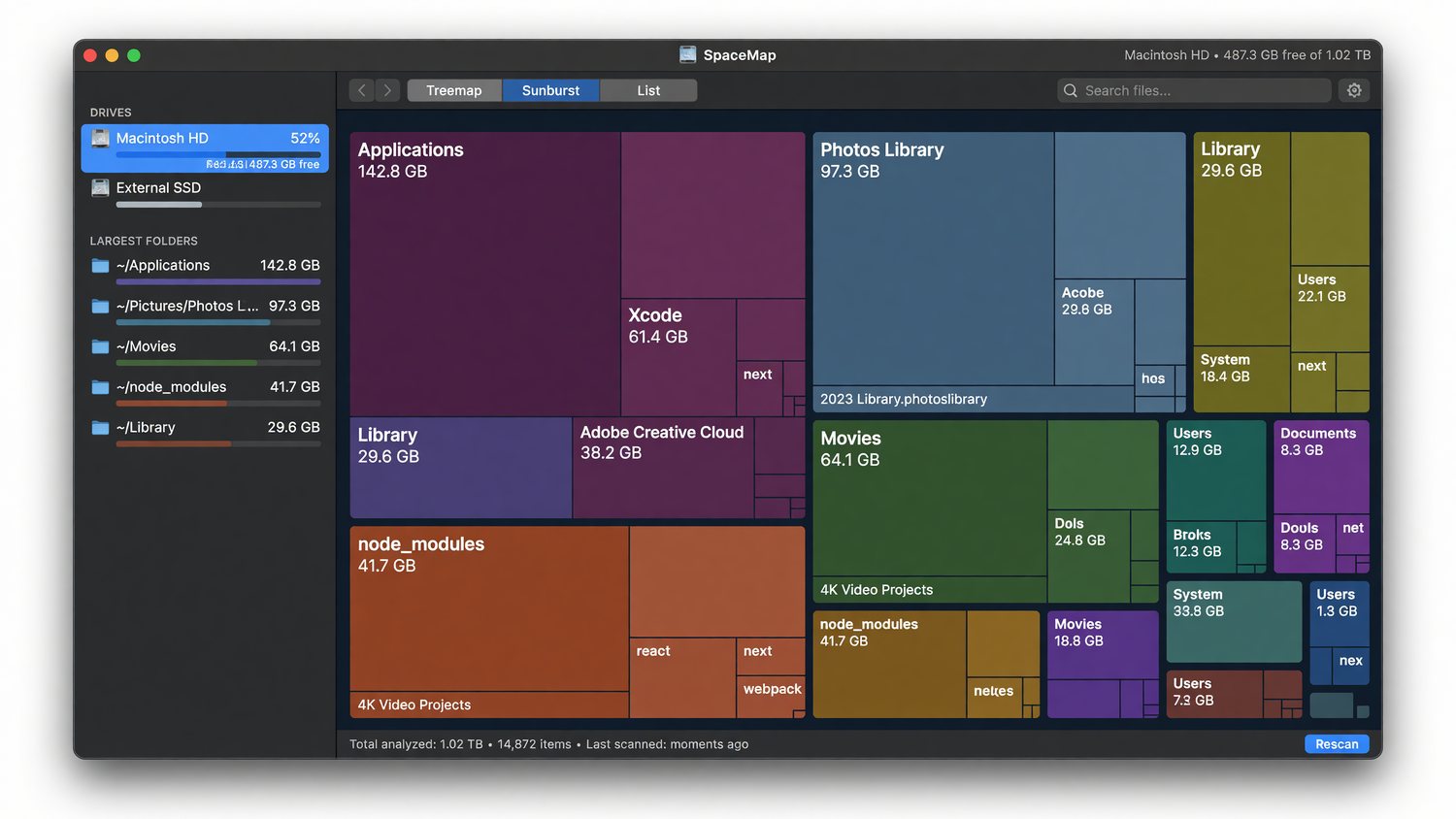
Squarified treemap
The Bruls/Huijse/van Wijk algorithm, written from scratch in Swift. Tiles are packed for readable aspect ratios, not just stacked rectangles.
Concurrent scanner
Swift structured concurrency saturates the I/O on a fast SSD. Scan a 50 GB folder in seconds; cancel cleanly mid-scan with one keystroke.
Smooth morph animations
Drill into a directory and the layout springs into place. Tile rectangles interpolate between layouts — no jump-cuts, no flicker.
Filter, sort, drill, search
Sidebar filter narrows huge trees to what matters. Five sort orders. Keyboard shortcuts everywhere. Quick Look on Space-bar.
Drag & drop, recents, themes
Drop a folder onto the window to scan. Recent scans persist across launches via security-scoped bookmarks. Five built-in themes including a colour-blind safe palette.
Sandboxed, no permissions creep
Uses only the standard user-selected file access entitlement. No full-disk access, no kernel extensions, no helper daemons, no telemetry.
Three views. Endless drill-down.
Free does everything most people need.
SpaceMap Pro adds caching, comparison, and customisation for power users. The free tier is not a crippled demo — it's the same scanner, the same renderer, the same speed.
- Everything in the free tier
- Free-space tile alongside scanned files
- Scan caching — re-open a saved scan instantly
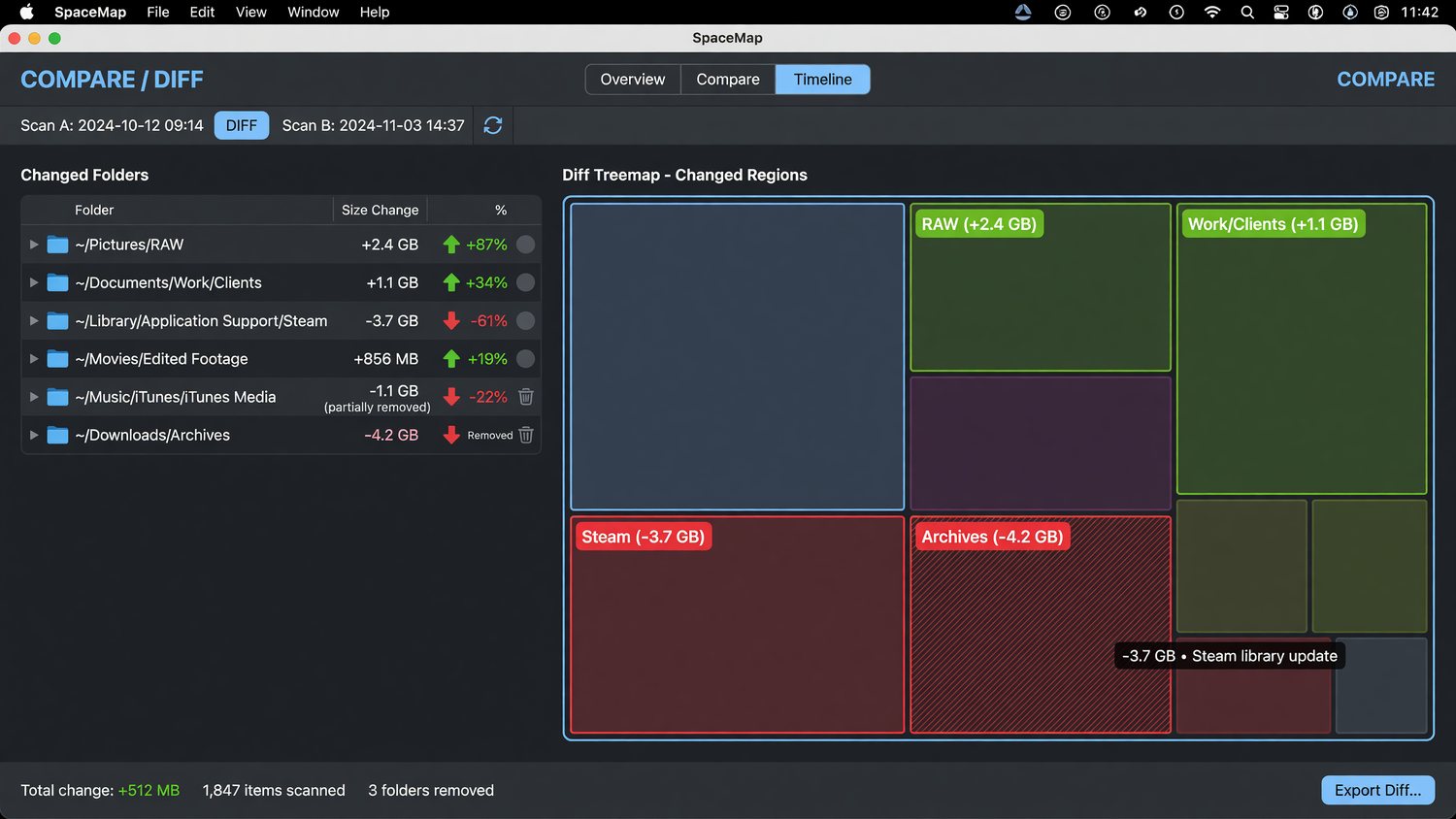
- Scan diff — see what changed between two scans
- CSV export for spreadsheets and audits
- Custom themes with full RGB control
- Priority email support from Launchpad
Pro is a future paid release. The Pro features are visible in the free build but locked — the architecture is in place so you'll get them with a single licence key when Pro ships.
Because we needed it ourselves.
Mac users have always had fewer good disk-space tools than Windows users. The Windows world has SpaceSniffer, WinDirStat, TreeSize. The Mac world has DaisyDisk (paid), GrandPerspective (dated UI), and OmniDiskSweeper (no treemap). We wanted a fast, modern, native option that looked like it belonged on macOS Sonoma.
So we built SpaceMap. We use it ourselves every week to keep our developer machines tidy. We're giving the free tier away under MIT because we think every Mac user should have a good disk visualiser, and because Launchpad Technology builds custom Mac, web, and AI software for businesses — and a genuinely good free utility is a better calling card than any landing page.
If SpaceMap saves you an afternoon of hunting through Finder, and you've got a software, automation, or AI project we could help with, drop us a line. No obligation.
FAQ
Is it really free?
Yes — the free tier ships under the MIT licence. You can use it personally, commercially, fork it, modify it, redistribute it. The source is on GitHub.
What macOS versions are supported?
macOS 13.0 (Ventura) or later. Works natively on both Apple Silicon and Intel Macs.
Will it work on my whole drive?
SpaceMap is sandboxed, so it scans whichever folder you pick — including external volumes and network shares once you've granted access. For full-volume scans, pick the volume root from the file picker. We deliberately avoid asking for full-disk access at install time.
How does it compare to DaisyDisk or GrandPerspective?
DaisyDisk is a polished commercial product (£9.99) with sunburst charts. GrandPerspective is open-source but feels its age. SpaceMap is somewhere between — modern native UI, treemap (not sunburst), free, Apple Silicon native. Pick whichever fits your taste.
Does it phone home?
No. No telemetry, no analytics, no auto-update server, no account. Network-deny on first launch is fine.
I want a feature it doesn't have. What now?
Open an issue on GitHub or get in touch. We read everything.
Get SpaceMap for macOS
Free. MIT licensed. Signed and notarised. macOS 13.0+.